01
Control every screen individually
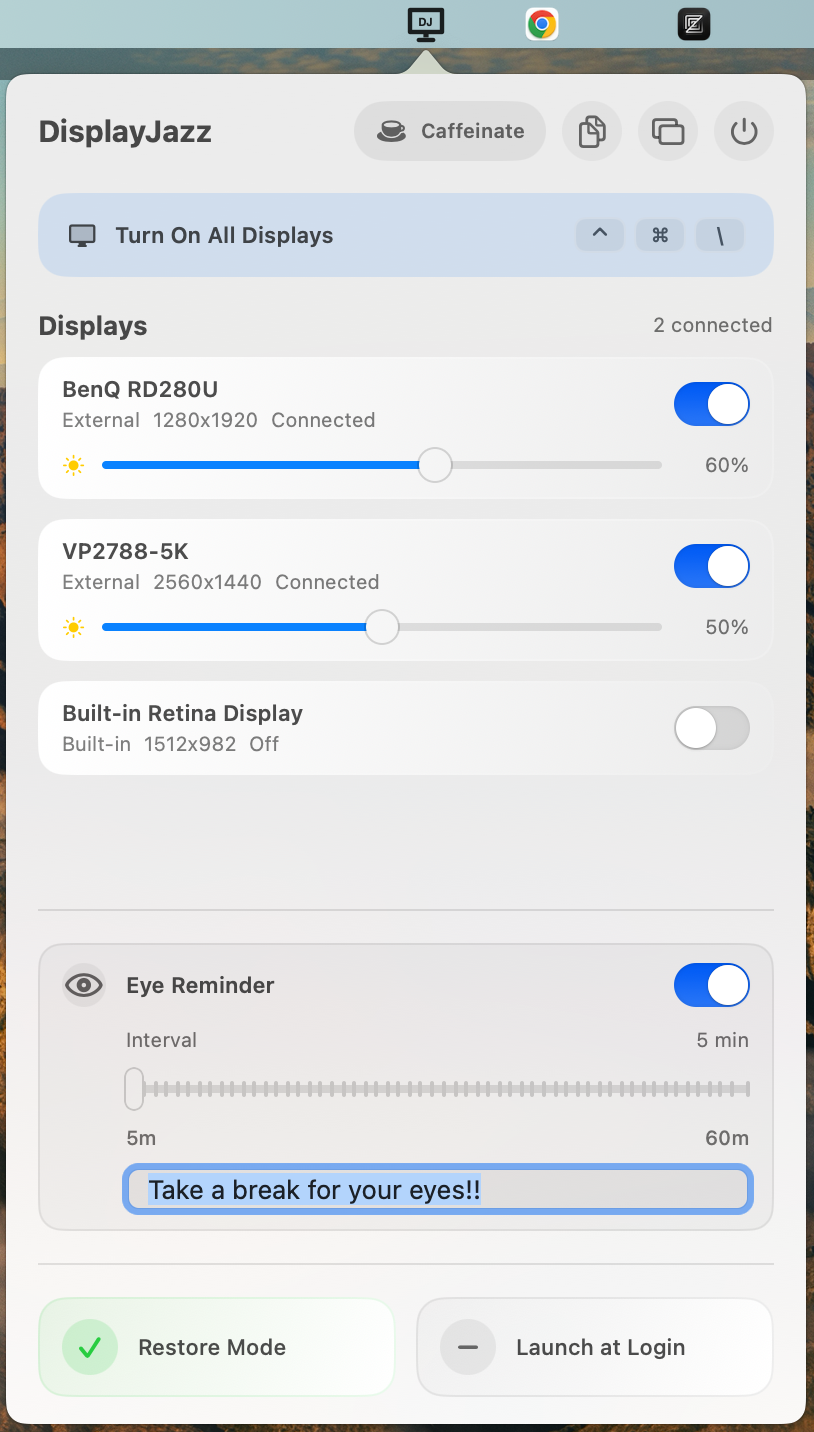
See connected and remembered displays, switch each one on or off, and check its status and resolution at a glance.
 DisplayJazz
A macOS menu bar utility
Switch screens, tune brightness, recover a dark display, and keep your desk setup in rhythm—without digging through System Settings.
One small app. One calm display workflow.
The set list
DisplayJazz puts the controls you actually reach for into one compact, native menu.
See connected and remembered displays, switch each one on or off, and check its status and resolution at a glance.
Adjust supported built-in and external monitors from the same menu.
Turn all recoverable displays back on instantly—even with a global keyboard shortcut.
Caffeinate prevents display and idle system sleep while you present, render, or stay on call.
Set a 5–60 minute eye-rest interval and your own reminder. A gentle overlay appears on the active screen, then dismisses itself.
Built for the menu bar
No sprawling dashboard. No recurring configuration ritual. DisplayJazz watches your setup and stays one click away.
Click DJ in the menu bar to see the current state of every screen.
Switch displays, adjust brightness, or enable Caffeinate without leaving your work.
Restore Mode safely brings the built-in display back when the last external disappears, while respecting clamshell mode.
Made for real desks
A note on compatibility. Display switching and some brightness controls rely on private macOS display APIs and DDC support. Behavior can vary by Mac, monitor, cable, dock, and macOS release. DisplayJazz is distributed directly and is not available on the Mac App Store.
Take control
A focused utility for multi-display Mac desks. Pay once and keep it.
Lifetime license
$9 USD
Secure checkout link provided by email.